
Some months ago, I started writing articles on topics, which are repeatedly discussed in the Microsoft Technet Forums and where the answer (or approach) isn’t exactly clear. This particular blog post won’t be any different and the sole goal is to help as much people as possible.
Today we will discuss a challenge that is around since HPE released their ProLiant Gen10 series – monitoring of those servers from hardware perspective, using System Center Operations Manager.
All of us, who at some point had to monitor HPE ProLiant servers with SCOM are aware of the HP ProLiant Server Management Pack for System Center Operations Manager. It is a nice management pack, covers a lot, but there is one important problem with it – it doesn’t support HPE ProLiant Gen10 Severs. Here what we read in the “Managing Mixed Environments with HPE SCOM Management Packs” document from HPE:
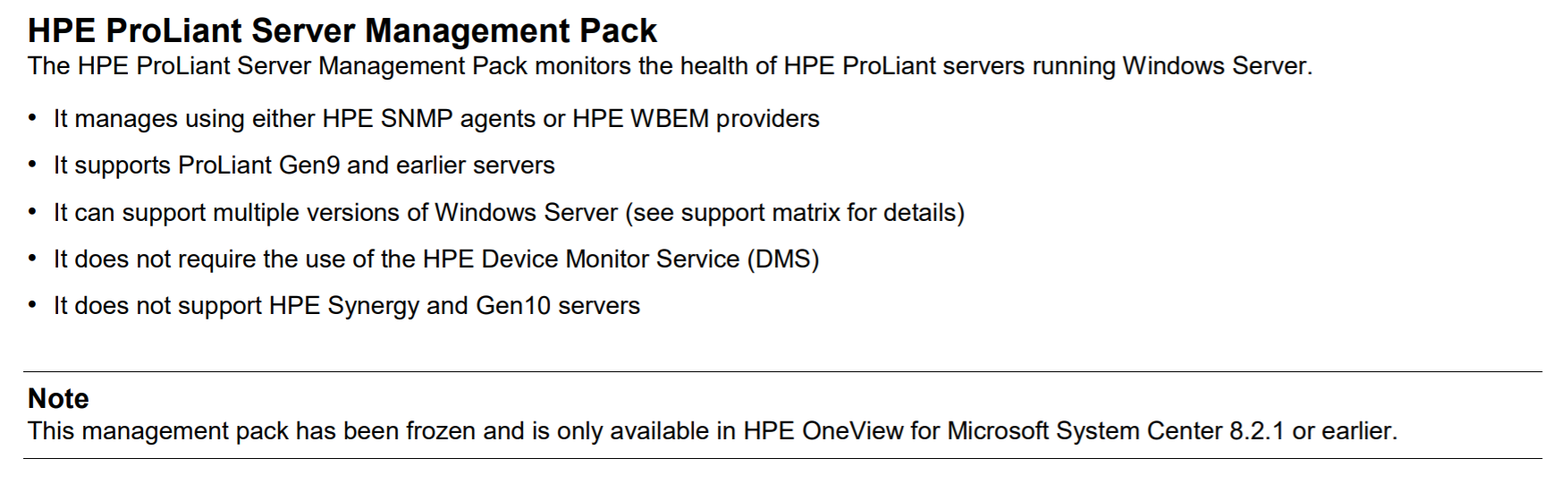
HPE ProLiant Server Management Pack
Those two support statements:
“It supports ProLiant Gen9 and earlier servers” and
“It does not support HPE Synergy and Gen10 servers”
are also valid for the “HPE ProLiant Linux Management Pack”, “HPE ProLiant VMware Management Pack” and the “HPE ProLiant Agentless Management Pack”.
Did you notice something else in the overview besides the support statements??? Yes, exactly, the note at the end:
“This management pack has been frozen and is only available in HPE OneView for Microsoft System Center 8.2.1 or earlier.”
You can still download the management pack and use to monitor your Gen9 and earlier ProLiant versions, but the big question is: What about Gen10 servers? How do we monitor those with SCOM?
The answer is pretty simple and is also found in the same document – You need to have HPE OneView and use the “HPE OneView Management Pack”. This is because HPE changed the Gen10 support model and decided to take advantage of the enhanced integration with HPE OneView to monitor the new ProLiant server generations.
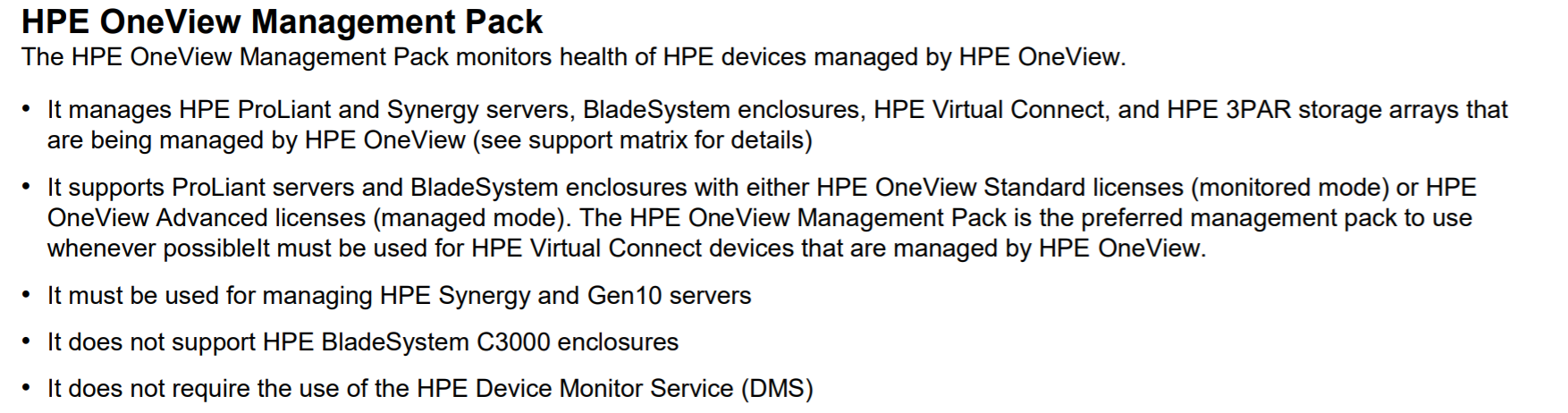
HPE OneView Management Pack
Before going into details with the OneView monitoring options, please pay attention to the fact the if you have OneView, you can also monitor your older ProLiant servers – from Gen6 up to Gen10:
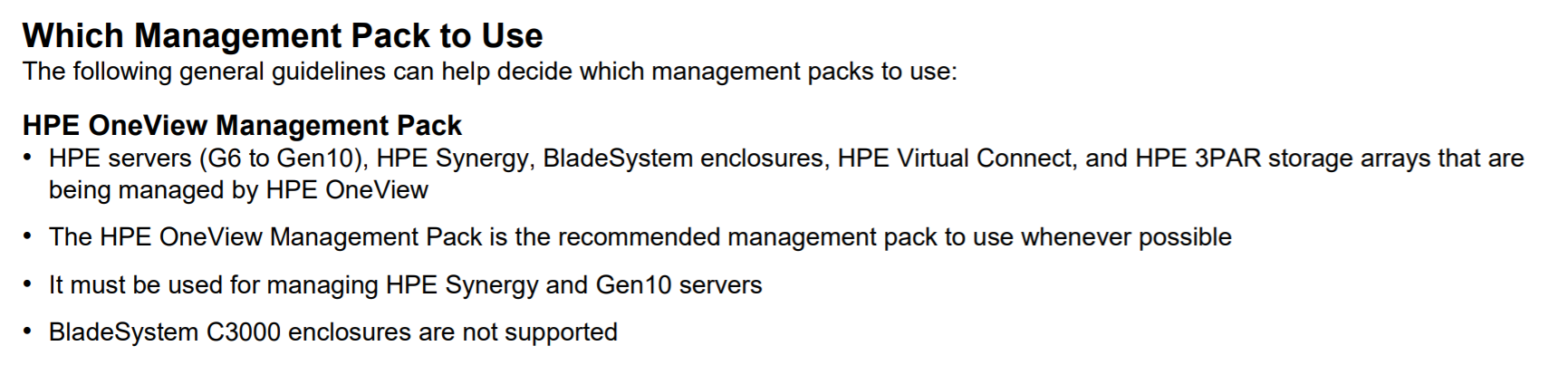
Thew HPE OneView Management Pack supports monitoring of HPE ProLiant Gen6 and newer versions
It is not only an option, but it is the “recommended management pack to use whenever possible”
So, initially as I read this information, I immediately thought how hard it would be to convince my customers to buy the OneView license and do the integration with the HPE servers, so that we can monitor the Gen10 servers.
Fortunately, I got help from an insider, who explained me how this can be achieved in a quick and also cost-effective way. The key is in the OneView licensing model, which has two tiers – Standard and Advanced
The Standard license type is a free license that enables monitoring of supported HPE hardware, whereas the Advanced license enables all HPE OneView management features for supported HPE hardware. You can often tell which license is used when you see how the servers are labelled:
- “Monitored” means a Standard (free) license
- “Managed” means an Advanced (fee based) license
So, in order to be able to monitor your HPE Gen 10 servers you don’t need to purchase OneView, you just need to download the image of the appliance (which is also free) and get it up and running. Afterwards you need to get the HPE OneView for Microsoft System Center Management Pack, install it and import your servers into one view, using the “Monitored” option. You really don’t need any additional license for your servers or the OneView Management Pack.
Congratulations, you have your HPE Gen10 servers monitored with SCOM now.
Here also a couple of additional links, which might be of use if you need some additional information on the topics mentioned above:
HPE OneView for Microsoft System Center – Overview
www.hpe.com/products/ovsc
HPE OneView for Microsoft System Center Documentation – “HPE OneView SCOM Integration Kit User Guide”
www.hpe.com/info/ovsc/docs
Download HPE OneView for Microsoft System Center
www.hpe.com/info/ovpartners
Download of OneView
https://h20392.www2.hpe.com/portal/swdepot/displayProductInfo.do?productNumber=Z7550-63180
HPE OneView and Microsoft integration license information
www.hpe.com/us/en/software/licensing.html